
How to Build a Mobile Banking App: A Complete 9-Step Guide
Scope of Work
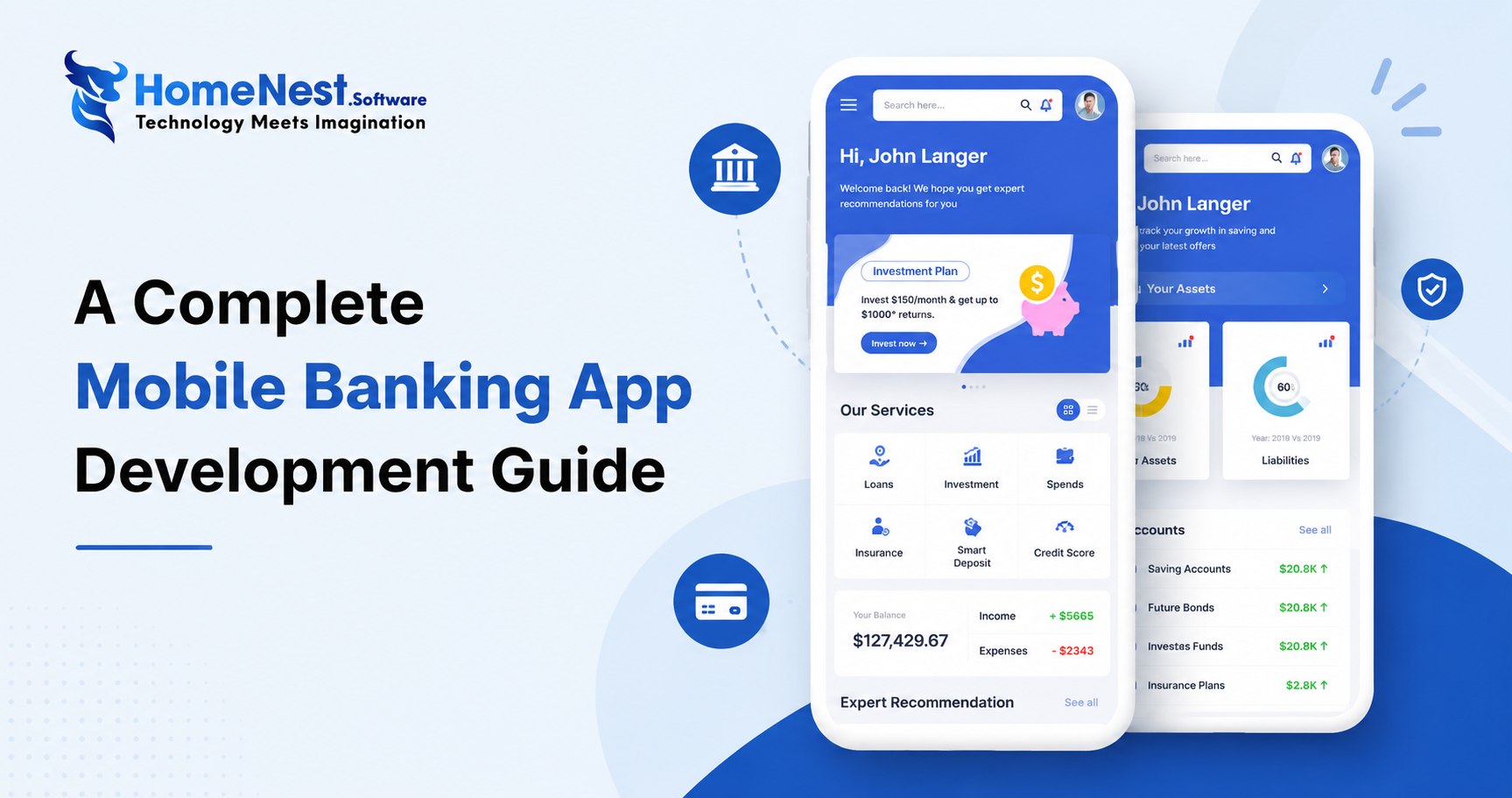
Let’s explore mobile banking app development.
How to Develop a Mobile Banking Application from Scratch in 9 Steps
When building a custom mobile banking app, it’s essential to hire a trusted mobile app development company with experienced fintech developers who follow industry-standard development processes. This ensures high quality, security, and long-term scalability.
Below is a clear, step-by-step guide on how to create a robust mobile banking application for your organization.
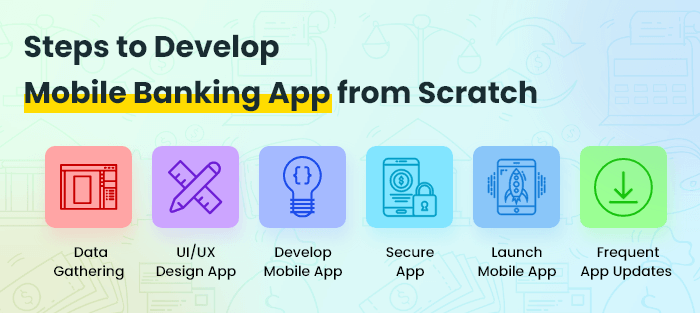
1. Gather Data From Existing Customers
As a banking institution, you already have a valuable user base. Before building your mobile banking app, start by collecting insights about your current users.
This helps you determine:
-
Who your primary audience is (ages 40–60, millennials, Gen Z, etc.)
-
What features they actually need
-
How to design the initial version of your app
Understanding both your current and future audience will guide your feature decisions and user experience design.
2. Define Your Mobile Banking Features
To build a successful financial app, outline your core features first. Below are essential functionalities every banking app MVP should include.
2.1 Core Banking Features
| Feature | Explanation |
|---|---|
| Verify Account Balance | App and website data must always be consistent and updated instantly. |
| Manage Cards | Enable ordering new cards, closing accounts, and managing all card activities. |
| View Transactions | Transaction history is vital for account transparency and user trust. |
| Check Deposits | Display deposit interest, limitations, and related details. |
| Quick Transactions | Helps users transfer money easily and instantly. |
| Fraud Alerts & Security | Immediate alerting when suspicious activity occurs. |
| Peer-to-Peer Payments | Ensures fast and secure digital payments. |
| Push Notifications | Send transactional and promotional alerts directly to mobile devices. |
Once your features are defined, the next step is prototyping.
3. Build a Prototype for Your Banking App
Use these guiding questions to design a meaningful prototype:
-
What user needs are you solving?
-
What purpose will each feature serve?
A prototype allows you to test usability early and validate the app’s flow with real users. Early feedback helps eliminate major design issues before development begins — saving time and reducing costs.
Once the prototype is finalized, UI/UX design begins.
4. UI/UX Design for Mobile Banking Apps
A banking app’s success depends heavily on a seamless experience and intuitive interface. Your design should attract new users while maintaining long-term engagement.
Key UI/UX Considerations
| Point | Explanation |
|---|---|
| Functionality | Must meet functional requirements; security is a top priority. |
| Reliability | Simple, stable, and consistent throughout the app. |
| Usability | Easy to navigate, offering clear insights and organized data. |
| Proficiency | All essential accounts and actions should be accessible in one place. |
| Creativity | Balance aesthetics with functionality; modern, user-friendly interaction. |
5. Develop the Mobile Banking App
During development, the prototype becomes a fully functional application. While the specifics depend on your app’s requirements, the following guidelines help ensure smoother development.
-
Use native languages (Swift for iOS, Kotlin/Java for Android) for maximum performance and security.
-
Use React Native if you need faster delivery for both platforms on a smaller budget.
6. Select the Right Technology Stack
There is no universal tech stack for banking apps. Choose technologies based on project complexity, scalability needs, and long-term maintenance.
Tech Stack for Android Banking Apps
| Tools / Language | Explanation |
|---|---|
| Java & Kotlin | Official, widely supported languages for Android development. |
| Android Studio | Google’s official IDE. |
| Jetpack Compose | Modern toolkit for building native UIs quickly. |
Tech Stack for iOS Banking Apps
| Tools / Language | Explanation |
|---|---|
| Swift | Fast, readable, and secure language for iOS apps. |
| Xcode | Apple’s official IDE. |
| UIKit | Fundamental framework for building graphical components. |
Databases
| Database | Explanation |
|---|---|
| MySQL | Lightweight and easy to use, great for structured data. |
| PostgreSQL | Highly scalable and flexible relational database. |
| MongoDB | Schema-free, ideal for scalable document storage. |
| SQLite | Embedded database for local storage on mobile apps. |
7. Implement Security Protocols
Security is the backbone of any banking application. You must protect user data, implement compliance standards, and educate users on cybersecurity practices.
Key Data Privacy Regulations
| Standard | Description |
|---|---|
| PCI-DSS | Improves global payment account data security. |
| GDPR | EU regulations for personal data protection. |
| GLBA & SOX | U.S. fintech and financial data protection laws. |
| CDR | Governs consumer data rights in Australia. |
Advanced Security Practices
Use authorized APIs only
Custom APIs provide better protection and control over your backend system.
Example:
PayPal’s integration with Siri enabling voice-activated payments.
Use tamper detection methods
Prevents attackers from altering app code and bypassing security protections.
Example:
Cycript — a tool known for bypassing anti-tampering safeguards — highlights the importance of strong anti-tamper protection.
8. Conduct Extensive Testing
Before launching, your app must undergo both manual and automated testing using tools like Appium or UFT.
Testing ensures:
-
Security vulnerabilities are eliminated
-
App flows work smoothly
-
No performance issues affect user experience
9. Launch the App and Promote It to Your User Base
After publishing your app on Google Play and the App Store, begin promoting it to your existing customers. Offer:
-
Improved UI/UX
-
Exclusive app-only deals
-
Strong customer support
After launch, gather feedback, analyze what works, and improve your app continuously.
Enhance and Regularly Update Your Banking App
Post-launch optimization includes:
-
Incorporating native components
-
Keeping design simple and consistent
-
Conducting remote user testing
This ensures your app stays competitive and aligned with modern banking standards.
Best Smart Mobile Banking Apps
Here is the list of top mobile banking apps, you should take inspiration from.
| Apps | Features | Play Store Ratings | Download |
|---|---|---|---|
 Well Fargo Well Fargo |
|
4.7 (14,14,534) |
Android | iOS |
 Capital One Capital One |
|
4.7 (12,42,901) |
Android | iOS |
 Bank of America Bank of America |
|
4.5 (9,22,450) |
Android | iOS |
 Ally Bank Ally Bank |
|
4.0 (21,010) |
Android | iOS |
How Much Does It Cost to Build a Mobile Banking App?
The cost of developing a mobile banking app typically ranges from $100,000 to $500,000, depending on several key factors outlined below.
If you want to explore development costs for various app types and platforms, refer to our in-depth guide on app development pricing.
Key Factors That Influence Banking App Development Cost
| Factor | Explanation |
|---|---|
| Project Scope | Includes the features you want to integrate, the goals you aim to achieve, and what is or isn’t included in the development process. |
| App Complexity | More complex features and workflows require additional development time, increasing the overall cost. |
| Technology Stack | Developers skilled in the latest frameworks and technologies generally charge higher rates. |
| Project Deadline | Tight deadlines may require adding more developers to meet the launch date, which increases total development costs. |
| API Integrations | Banking APIs such as TrueLayer, Galileo, and Barclays often require paid plans. Although not excessive, these fees contribute to the final cost. |
You now understand the market landscape, core features, and development workflow of a mobile banking app. Next, let’s explore essential FAQs to give you deeper insights into this topic.
Ready to Build a Custom Banking App?
This guide has walked you through market trends, step-by-step development processes, essential banking app features, real examples, and the key problems mobile banking apps can solve. If you have questions about building a mobile banking app or want a detailed cost estimate for your custom solution, feel free to contact us.
When you sign up for our mobile app development services, we provide a free 30-minute consultation where you can ask anything related to your project. Our team of experienced Android and iOS developers has successfully built over 100 mobile applications across various industries.
We’re here to help you turn your banking app idea into a secure, scalable, and user-friendly product.
Contact HomeNest Software today for a free consultation and inquire about our all-inclusive App Design package offers!
HomeNest.Software – Empowering Long-Term Growth for Modern Businesses.

Contact Information:
- Address: The Sun Avenue, 28 Mai Chi Tho Street, Binh Trung Ward, Ho Chi Minh City
- Hotline: +84 898 994 298 ( WhatsApp )
- Website: homenest.software
FAQ – Mobile Banking App Development
1. How long does it take to develop a mobile banking app?
A standard mobile banking app typically takes 4–9 months to develop, depending on complexity, features, security requirements, and the size of the development team.
2. What features are essential in a mobile banking app?
Core features include:
-
Account balance and transaction history
-
Card management
-
Deposits and transfers
-
Peer-to-peer payments
-
Fraud detection and alerts
-
Push notifications
-
Secure login (biometric authentication)
Advanced features may include AI-based budgeting tools, investment modules, and multi-currency support.
3. What technologies are used to build a mobile banking app?
Common technologies include:
-
Android: Java, Kotlin, Android Studio, Jetpack Compose
-
iOS: Swift, Xcode, UIKit
-
Databases: PostgreSQL, MySQL, MongoDB, SQLite
-
Security protocols: PCI-DSS, GDPR, GLBA, CDR
4. How do you ensure the security of a banking app?
Security involves:
-
Strong encryption
-
Secure API usage
-
Multi-factor authentication
-
Tamper detection
-
Compliance with PCI-DSS, GDPR, and banking regulations
-
Regular penetration testing and vulnerability analysis
5. How much does it cost to build a mobile banking app?
The average cost ranges from $100,000 to $500,000, depending on:
-
Feature complexity
-
Tech stack
-
Security requirements
-
Timeline
-
API integrations
-
Team size and experience
6. Can you integrate third-party APIs into a banking app?
Yes. Popular fintech APIs—such as TrueLayer, Galileo, Plaid, Barclays API—can be integrated for payments, authentication, account aggregation, and financial analytics.
7. Do you offer post-launch maintenance and updates?
Yes. We provide long-term maintenance, feature upgrades, performance optimization, bug fixes, and security updates to ensure your app stays secure and competitive.
8. Do you offer a consultation before starting the project?
Absolutely. We offer a free 30-minute consultation where you can discuss your app idea, required features, budget, and timeline with our senior developers.
Latest Articles
View All
GitHub vs GitLab – Architecture and Selection Guide
Managing source code requires stable infrastructure. Automating software releases requires reliable pipelines. Tool sprawl creates operational complexity. Engineering teams face friction when using fragmented DevOps tools. Selecting between GitHub and GitLab shapes long term development efficiency.
The True Cost of an Employee: A Complete Breakdown for Employers
This article reveals that the true cost of an employee is typically 25% to 40% higher than their base salary due to hidden expenses like taxes, benefits, workspace, and recruiting. To address this, the guide provides a detailed 7-step framework to accurately calculate total employer costs, alongside actionable strategies to optimize budgets and improve retention without reducing pay.
Essential Tips To Develop A Music Streaming App
Discover expert tips to develop a successful music streaming app with HomeNest Software. This guide covers essential features, legal licensing, and scalable technology stacks. Learn how to build a robust, cross-platform application with AI personalization to stand out in the 2026 competitive audio market.
How to Build a Language Learning App Like Cake
Discover how to build a successful language learning app like Cake with this comprehensive guide from HomeNest Software. We explore market research, essential MVP features, advanced AI integrations, tech stack selection, and estimated development costs. Partner with HomeNest Software to create a scalable, gamified, and highly engaging educational platform tailored to your business goals. Start your app development journey with us today.
How to Build an App Like TaskRabbit: Features, Cost, Tech Stack – Business Model
Building an app like TaskRabbit is more than replicating existing features—it’s about creating a trusted marketplace that seamlessly connects customers with skilled service providers. By combining an intuitive user experience, secure payment systems, scalable architecture, and the right business model, you can launch a competitive on-demand platform. Partnering with an experienced app development company like HomeNest Software ensures your product is built with the technology, flexibility, and long-term scalability needed to succeed in the rapidly growing gig economy.
How to Build a Meal Planning App: A Complete Step-by-Step Guide
Building a successful meal planning app goes beyond creating an attractive interface it requires a clear business strategy, personalized user experiences, and scalable technology. By combining essential features like AI-powered meal recommendations, nutrition tracking, grocery list automation, and wearable integration, businesses can deliver lasting value to users while capitalizing on the growing digital health market. Partnering with an experienced mobile app development company ensures your solution is secure, future-ready, and designed to succeed in an increasingly competitive health-tech industry.