
What is CI/CD and How It Works in Software Development?
CI/CD is not just a technical practice it’s a strategic advantage in modern software development. By automating integration, testing, and deployment, teams can release faster, reduce risks, and maintain consistent quality. Organizations that adopt CI/CD effectively are able to respond quickly to change, improve developer productivity, and deliver better products to users with greater confidence.
Scope of Work
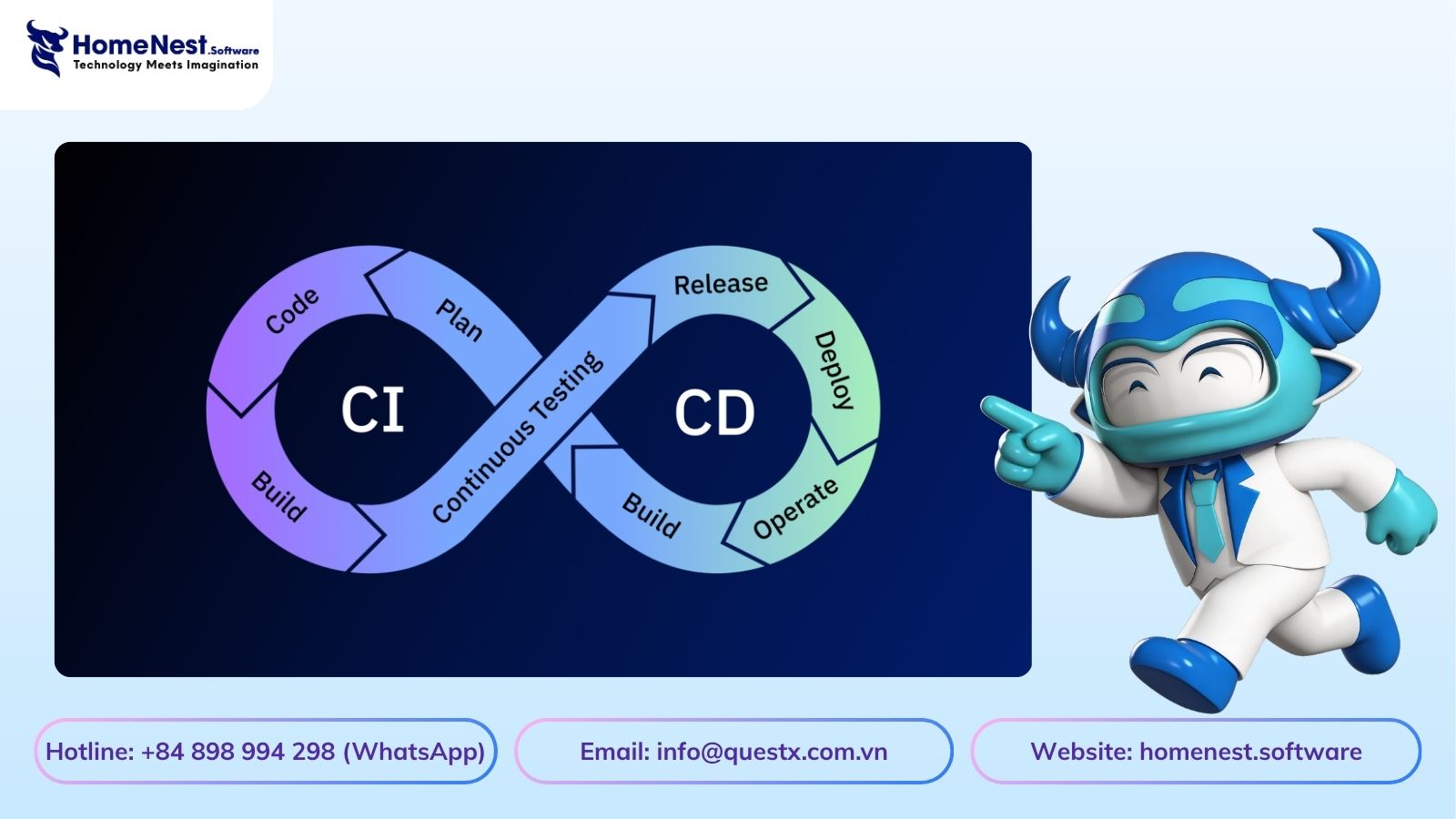
Continuous Integration and Continuous Delivery (CI/CD) have become standard practices in modern software development. They not only streamline development workflows but also help reduce operational costs and manual effort.
By enabling automated builds, seamless collaboration, faster deployments, and reduced infrastructure overhead, CI/CD significantly improves development efficiency. Through continuous integration and automated delivery pipelines, teams can focus more on business logic while maintaining higher code quality and consistency.
What Are CI and CD in Software Development?
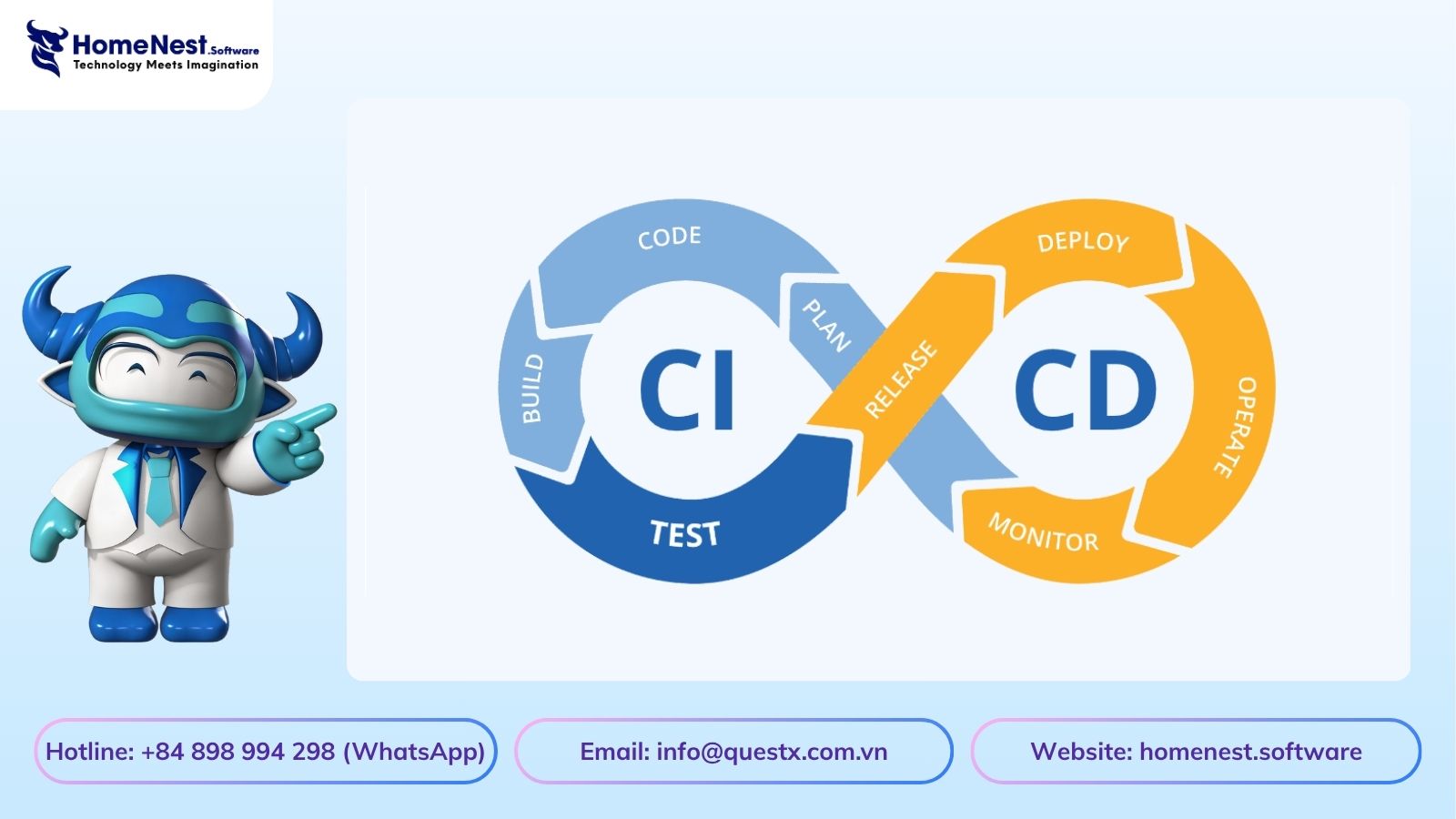
Continuous Integration (CI) and Continuous Delivery (CD) are essential practices within DevOps that help automate and streamline the software development process.
Traditionally, moving code from development to production involved multiple manual steps such as building, testing, deployment, and infrastructure setup. These processes were time consuming, error prone, and often caused delays.
CI/CD addresses these challenges by automating the entire pipeline from code integration to deployment allowing teams to release software faster, reduce downtime, and improve overall code quality.
What Is Continuous Integration (CI)?
Continuous Integration (CI) is the practice of frequently merging code changes into a shared repository.
Each time a developer commits code:
- The system automatically builds the application
- Runs tests
- Validates code quality
This ensures that issues are detected early in the software development lifecycle, reducing the risk of major failures later.
How Continuous Integration Works
A typical CI workflow includes:
- Code is pushed to a version control system
- Automated build is triggered
- Static code analysis checks quality and security
- Automated tests are executed
- Code is validated and prepared for the next stage
This process allows teams to maintain a stable codebase even when multiple developers are contributing simultaneously.
Benefits of Continuous Integration
- Early detection of bugs and vulnerabilities
- Reduced code conflicts through frequent integration
- Faster feedback for developers
- Improved code quality and consistency
What Is Continuous Delivery (CD)?
Continuous Delivery (CD) extends CI by automating the process of preparing code for deployment.
Once code passes all CI stages, CD ensures that it is always in a deployable state. This means the application can be released to production at any time with minimal effort.
How Continuous Delivery Works
A typical CD pipeline includes:
- Build artifacts are stored and managed
- Infrastructure and environments are prepared
- Code is deployed to staging or testing environments
- Final validation and testing are performed
- Application is ready for production release
Deployment can be triggered manually or automatically, depending on the strategy.
Benefits of Continuous Delivery
- Faster and more frequent releases
- Reduced deployment risks through smaller updates
- Improved reliability with automated processes
- Better scalability for growing applications
CI vs CD: Key Difference
- CI (Continuous Integration): Focuses on integrating and testing code changes frequently
- CD (Continuous Delivery): Focuses on making code ready for deployment at any time
Together, CI/CD creates a seamless pipeline from development to production.
CI/CD is not just a technical improvement it’s a shift in how modern software teams operate. By automating integration, testing, and deployment, teams can focus on delivering business value faster, with fewer errors and greater confidence.
Benefits of Implementing CI/CD in Software Development
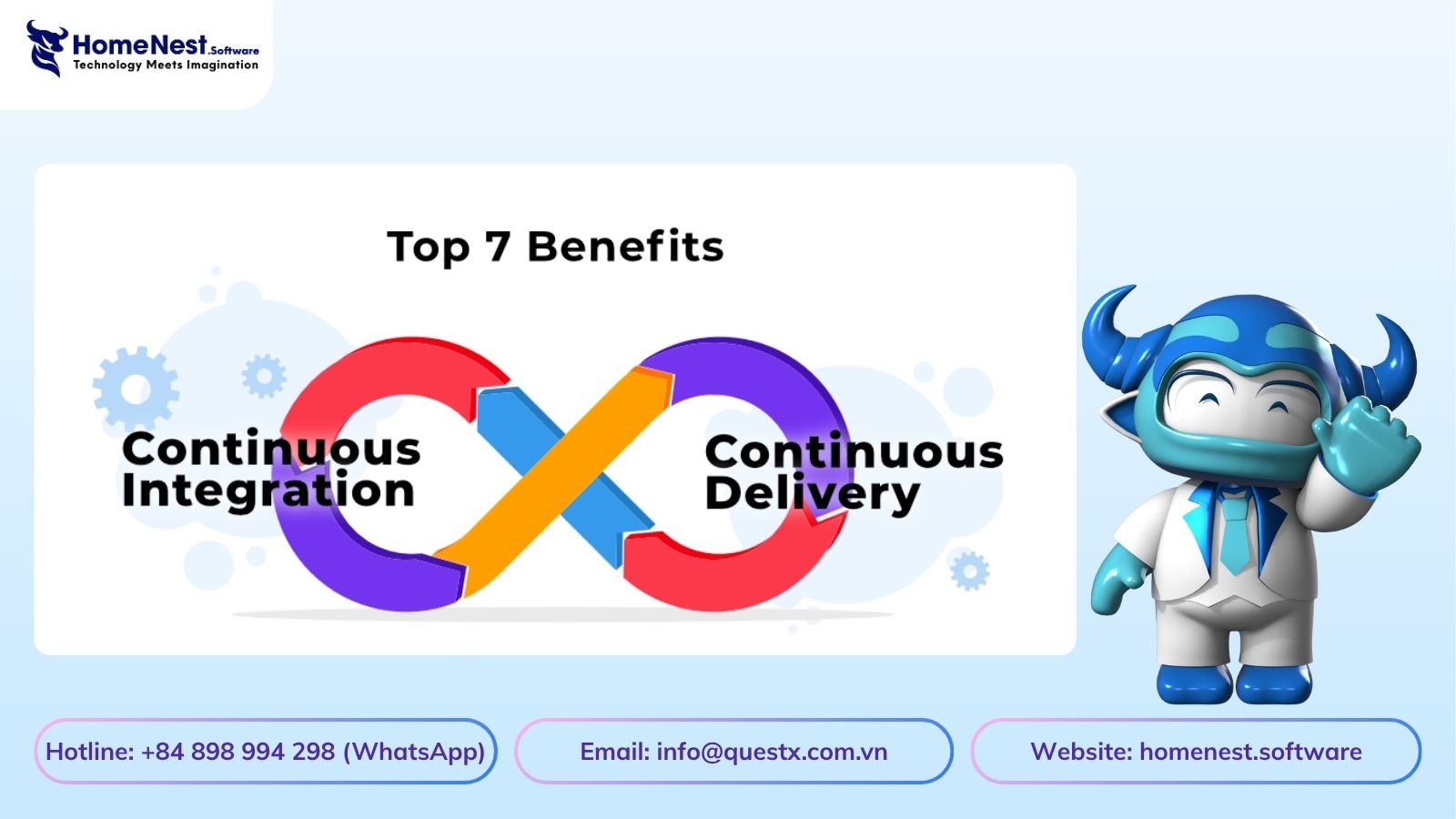
Adopting Continuous Integration and Continuous Delivery (CI/CD) brings significant advantages for businesses and development teams. By automating key stages of the development lifecycle, CI/CD improves efficiency, product quality, and overall delivery speed.
Below are the key benefits you can expect when implementing CI/CD in your software development projects.
1. Higher Customer Satisfaction
With automated testing and continuous integration, fewer bugs reach production.
This leads to:
- More stable applications
- Better user experience
- Increased customer trust and loyalty
Delivering high quality software consistently enhances your brand credibility.
2. Faster Time to Market and Better ROI
CI/CD enables faster and more frequent releases.
As a result:
- New features reach users quicker
- Development cycles are shortened
- Costs are reduced over time
This allows teams to focus on innovation while businesses gain a competitive edge and improved return on investment.
3. Reduced Critical Issues
By testing code early and frequently in smaller increments, teams can identify and fix issues before they escalate.
Benefits include:
- Fewer production incidents
- Reduced conflicts between team members
- More stable and predictable releases
4. More Predictable Delivery Timelines
CI/CD minimizes deployment bottlenecks and makes release cycles more predictable.
Breaking large projects into smaller increments allows:
- Better progress tracking
- More accurate delivery estimates
- Improved project management
This leads to greater confidence in meeting deadlines.
5. Increased Developer Productivity
Automation reduces the need for repetitive manual tasks such as testing, debugging, and deployment.
Developers can:
- Focus more on building features
- Spend less time fixing issues
- Improve overall productivity
6. Fewer Context Switching Issues
With fast feedback loops, developers can focus on smaller, manageable changes.
This results in:
- Easier debugging
- Reduced cognitive load
- Higher efficiency in development
Working on smaller code changes makes it easier to identify and fix issues quickly.
7. Reduced Developer Burnout
Frequent, automated deployments reduce the stress associated with large, risky releases.
This leads to:
- Lower pressure on development teams
- Improved work life balance
- Higher job satisfaction
A healthier team contributes to better long term productivity.
8. Faster Recovery (Lower MTTR)
CI/CD pipelines enable faster issue resolution and recovery.
When problems occur:
- Bugs can be identified quickly
- Fixes or rollbacks can be deployed immediately
- System downtime is minimized
This improves system reliability and ensures minimal disruption for users.
CI/CD is not just about automation it’s about building a more efficient, reliable, and scalable development process. By adopting CI/CD, organizations can deliver better software faster while improving both team performance and customer satisfaction.
Development Phases of CI/CD in Software Development
A well implemented CI/CD pipeline consists of multiple stages that automate the journey from code creation to production. These phases ensure faster delivery, higher quality, and continuous improvement throughout the software lifecycle.
1. Code
The process begins with writing and maintaining source code.
Developers:
- Create new features or update existing ones
- Follow coding standards and version control practices
- Prepare code for integration into the CI/CD pipeline
This stage forms the foundation for all subsequent automation steps.
2. Build
Once code changes are committed, the system automatically triggers the build process.
At this stage:
- Code is compiled and packaged
- Dependencies are resolved
- A build artifact (executable or deployable package) is generated
This ensures the application is ready for testing in a consistent environment.
3. Test
After a successful build, automated tests are executed to validate functionality and performance.
This includes:
- Unit testing
- Integration testing
- Basic performance checks
CI tools provide detailed reports, helping teams quickly identify and fix issues. In some cases, QA teams may also review results to ensure quality standards are met.
4. Package
Once the application passes all tests, it is packaged into a deployable format.
This may include:
- Container images (e.g., Docker)
- Deployment bundles
- Versioned release artifacts
Packaging ensures consistency across different environments (development, staging, production).
5. Release
In this stage, the application is prepared for deployment.
Key activities include:
- Versioning and release tagging
- Updating endpoints or URLs if needed
- Preparing release notes
The goal is to ensure the application is fully ready for distribution.
6. Configuration
Before deployment, the infrastructure and environment must be properly configured.
This involves:
- Setting up servers, cloud resources, or containers
- Managing environment variables and configurations
- Ensuring the CI/CD pipeline integrates smoothly with infrastructure
This step is critical for enabling consistent and repeatable deployments.
7. Monitor
After deployment, continuous monitoring ensures the system operates as expected.
Teams track:
- Application performance
- System health and uptime
- Errors and user behavior
Monitoring allows developers to quickly detect issues, deploy fixes, and continuously improve the application.
Final Insight
The strength of a CI/CD pipeline lies in its continuity. Each phase is interconnected, creating a seamless flow from development to production. By automating these stages, teams can deliver software faster, reduce risks, and maintain high quality standards throughout the lifecycle.
FAQs
What is CI/CD in software development?
CI/CD stands for Continuous Integration and Continuous Delivery, a set of practices within DevOps that automate the process of integrating code, testing, and deploying applications. It helps teams release software faster, with higher quality and fewer errors.
What is the difference between CI and CD?
- Continuous Integration (CI): Focuses on frequently merging and testing code changes
- Continuous Delivery (CD): Ensures that the code is always ready to be deployed
CI improves code quality, while CD improves release speed and reliability.
Why is CI/CD important?
CI/CD is important because it:
- Reduces manual work and human errors
- Speeds up development and deployment
- Improves software quality through automated testing
- Enables faster feedback and iteration
It allows teams to deliver features quickly and respond to market changes efficiently.
What are the main stages of a CI/CD pipeline?
A typical CI/CD pipeline includes:
- Code
- Build
- Test
- Package
- Release
- Configuration
- Monitor
Each stage automates a part of the software delivery lifecycle.
What tools are commonly used in CI/CD?
Popular CI/CD tools include:
- Jenkins
- GitHub Actions
- GitLab CI/CD
- CircleCI
- Docker and Kubernetes (for deployment and orchestration)
These tools help automate building, testing, and deploying applications.
What is the difference between Continuous Delivery and Continuous Deployment?
- Continuous Delivery: Code is ready to deploy, but release requires manual approval
- Continuous Deployment: Code is automatically deployed to production after passing all tests
Continuous Deployment is a more advanced and fully automated version of Continuous Delivery.
How does CI/CD improve code quality?
CI/CD improves code quality by:
- Running automated tests on every code change
- Detecting bugs early in the development process
- Enforcing coding standards through validation tools
This reduces the risk of issues reaching production.
Is CI/CD suitable for all projects?
CI/CD is beneficial for most modern software projects, especially:
- Agile development environments
- SaaS platforms
- Applications with frequent updates
However, it requires proper setup and team alignment to be effective.
What are the challenges of implementing CI/CD?
Some common challenges include:
- Initial setup complexity
- Integration with legacy systems
- Managing pipeline configurations
- Ensuring test coverage and reliability
Despite these challenges, the long term benefits outweigh the initial effort.
How does CI/CD reduce deployment risks?
CI/CD reduces risks by:
- Deploying smaller, incremental changes
- Automating testing and validation
- Allowing quick rollback in case of failure
This makes deployments safer and more predictable.
What is the role of automation in CI/CD?
Automation is the core of CI/CD. It handles:
- Code integration
- Testing
- Deployment
- Monitoring
By automating repetitive tasks, teams can focus on building features and improving products.
Latest Articles
View All
Criteria For Choosing The Right App Design Agency
UI/UX design is the logical foundation of a system, not merely a visual element. Choosing the wrong partner will directly lead to technical debt, budget overruns, and disruptions in the development process. This article provides a 6-step evaluation framework and a list of operational risks, helping businesses eliminate subjective design advice and accurately assess agency capabilities based on developer handoff standards and practical business performance.

How Does AI in Banking Industry Impact the Future?
Artificial intelligence (AI) has transitioned from a supplementary tool to a core infrastructure of financial data management, optimizing profitability through real-time fraud detection, natural language processing (NLP), and high-speed credit scoring models. “Deploying AI in the financial sector requires more than just algorithmic accuracy, it demands a highly secure cloud architecture and rigorous data governance,” commented Nguyen Tien, co-founder of HomeNest Software. Why read this guide? We skip the theoretical jargon to focus entirely on technical implementation. Whether you’re evaluating a vendor or planning a system overhaul, this article will detail: Operational Efficiency: Automating unstructured data workflows at scale. Risk Architecture: Implementing real-time threat detection and AML compliance. Data ownership: The essential need for 100% ownership of the source code to ensure full algorithm auditability.

How to Make a Banking App like Bank of America?
Developing a mobile banking application like Bank of America extends far beyond basic UI design; it requires engineering a fault-tolerant backend capable of real-time ledger synchronization, biometric authentication, and high-volume data processing under strict regulatory frameworks. Drawing from HomeNest Software’s deep experience in architecting enterprise-grade fintech solutions, this guide strips away theoretical jargon to focus entirely on operational and technical execution. What you will find in this guide: We break down the precise development roadmap, from mapping out microservices and ensuring PCI-DSS compliance to estimating MVP development costs and securing absolute data sovereignty through 100% source code ownership. If you are preparing to build, scale, or audit a financial platform, this blueprint provides the exact framework you need.

Banking App Development Cost
Building a banking application is rarely a simple process; it’s a complex technical challenge requiring a balance between complying with stringent financial regulations, handling large transaction volumes, and a scalable cloud architecture. Miscalculating these technical requirements from the outset often leads to significant technical debt and budget overruns. Based on HomeNest Software’s practical experience in designing enterprise-grade fintech solutions, this guide bypasses generic estimates to provide a realistic analysis of banking application development costs. What you’ll find in this guide: We analyze the true cost factors, from technology selection and API integration to the hidden costs of regulatory compliance and security infrastructure. Whether you’re launching a minimum viable product or expanding an existing financial platform, this analysis provides the precise operational data you need to plan your budget effectively.

How to Build a Mobile Banking App Like Chime?
Building a mobile banking app like Chime is not just about features, it is about delivering a secure, scalable, and user-centric financial experience. From planning the right architecture to optimizing mobile banking app development cost, every decision directly impacts your product’s success. Leveraging Fintech app development services, starting with MVP app development, and scaling through on-demand app development solutions allows businesses to reduce risk and accelerate time to market. To stay competitive, combining Android app development services and iOS app development solutions ensures wider reach, while continuous updates through maintenance software development services keep your app secure and future-ready.

How to Build a Banking App Like Barclays: A Complete Entrepreneur’s Guide
Building a banking app like Barclays requires more than just development. It demands a strong product vision, secure architecture, and a clear monetization strategy. From optimizing cost and selecting the right tech stack to ensuring compliance and scalability, every decision impacts long-term success. Partnering with an experienced team like HomeNest Software helps accelerate development, reduce risks, and deliver a high-quality fintech product that can compete in today’s fast-evolving digital banking landscape.